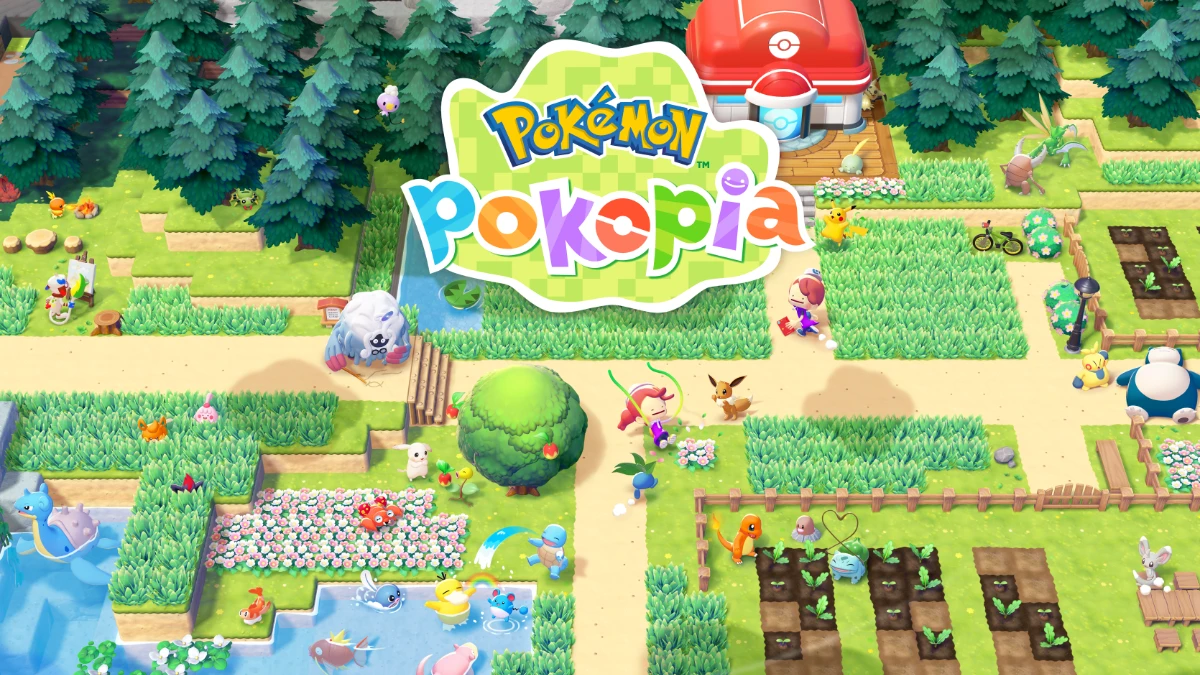
Pokémon Pokopia sold 2.2 million copies in its first week, sold out at physical retailers across North America and Japan, and became the highest-rated game in the franchise’s 30-year history. That kind of commercial and critical momentum doesn’t happen by accident. The game earns it by blending the slow-burn satisfaction of cozy sandbox building with something the Pokémon series rarely delivers: genuine stakes. Your Ditto hero isn’t catching Pokémon. It’s rebuilding a world they lost.
With over 200 habitat types to establish, more than 300 Pokémon to attract, and five distinct city-sized sandboxes to restore, Pokopia gives you enormous freedom and almost no hand-holding. That’s by design, and mostly a good thing. But some systems take hours to reveal themselves, and a few early missteps can cost you resources or time you won’t easily recover.
These tips cut through the early fog. Whether you’re just leaving the starting area or trying to figure out why that Iron Ore stockpile disappeared, here’s what you should know before the game tells you
How Habitats Work (and Why You Should Build More Than You Think)
Habitats are Pokopia’s equivalent of Pokéballs: the main mechanism for attracting new species into your roster. Understanding them early determines whether you spend your first few hours pulling your hair out or watching a parade of Pokémon arrive with minimal friction.
The Habitat Dex tells you exactly how many Pokémon a given biome can attract. Use that number as your target. If a biome is simple to recreate, like the “tall grass” or “tree-shaded flower bed” setups, build more of them. Four grass tiles planted with Leafage qualifies as a valid biome. Four flowers placed next to trees, using Rototiller or seeds, qualifies as another. These aren’t elaborate constructions. Quantity compounds the benefit fast.
A few important rules to understand early:
- Some Pokémon only spawn at specific times of day or in certain weather conditions
- Biome requirements can shift between zones (Geodude won’t appear in tall grass in Withered Wastelands, but will in another area)
- When you unlock new regions, try recreating earlier biomes using local flora variants like region-specific grass colors; new Pokémon can emerge from familiar structures in unfamiliar environments
Don’t try to manage aesthetics too aggressively during the first few hours. Get the biomes down. You can always refine placement once you have a clearer picture of what each zone needs.
Building Homes: Prefab Kits vs. Manual Construction
Housing matters more than it first appears. Moving Pokémon into proper homes improves each area’s Environment Level, and a higher Environment Level unlocks progression gates you’ll want to clear sooner rather than later. The good news is that Pokopia offers two distinct approaches to housing, and both work.
Prefab Kits
Prefab kits are the faster option if you’re not interested in manual builds. They have a consistent look and require roughly the same raw materials as building by hand. The trade-off is space. Each prefab type has a firm occupancy cap:
| Kit Type | Pokémon Capacity |
|---|---|
| Den Kit | 1 |
| Hut | 2 |
| Cottage | 3 |
| House | 4 |
Check capacity before committing resources. Den kits look great clustered together, but if you have 12 Pokémon who need homes, you’re building 12 separate structures. That adds up.
Manual Builds
The minimum requirement for a valid manual shelter is four walls (a single tile high), three furniture items, and a door. That bare minimum isn’t comfortable, though. A room built to roughly 4 to 5 blocks in each direction gives larger Pokémon room to breathe and leaves space for the furniture items that contribute to the Environment Score. Four Pokémon can comfortably share one such room.
You can stack these rooms vertically to create multi-floor buildings. Just include stairs or a clear access path between levels. The result can be a compact apartment structure that houses far more tenants than an equivalent prefab footprint.
One underutilized trick: matching Pokémon to homes based on their preferences (grouping those who like darker spaces, for example) lets a single housing decision improve the Environment Score twice. Grouping and preference satisfaction stack.
Crafting and Storage: Set Up a Central Hub Early
Pokopia’s crafting system has one non-obvious rule that changes everything once you know it: storage boxes touching a crafting station count as extended inventory. Your Ditto’s personal bag is limited, but attach a large chest to your crafting table and you’ve added nine pages of working inventory. Attach two more on adjacent sides and you’ve tripled that.
Upon arriving in each new region, the first thing worth building is a dedicated crafting space with at least one large chest already placed. Add more as they fill up. Three chests give you enough organized capacity to keep sessions flowing without constant inventory management.
A simple organizational system that holds up over the long term:
- Box 1 (Raw): Sticks, dirt types, rock, vegetation
- Box 2 (Processed + Collectibles): Lumber, path materials, fossils, CDs
- Box 3 (Furniture): All furniture pieces, regardless of type
Paint each chest a different color if keeping them visually distinct helps. This system becomes significantly more valuable 10 to 15 hours in, when tracking down a specific furniture piece from several zones ago would otherwise require opening every box you own.
Read the Environment: Hidden Paths and Vertical Exploration
Pokopia communicates through its environment more than most sandbox games. Learning to read its visual language early saves hours of confusion later.
Watch for these specific signals:
- Water seeping through a wall tile often indicates a stream or water feature hidden just beyond it; punch through that tile
- A distinct rock type embedded in a cliff face usually marks the entrance to a new hidden section
- Dirt piles covering a path are almost always covering an excavation opportunity; clear them to reveal routes you’d otherwise miss

Getting elevation also reveals parts of maps that ground-level exploration won’t reach. Climb to the top of a hill and scan from there. New resource nodes appear, and sometimes an entirely different corner of a region becomes accessible from a high vantage point.
One example worth noting: in the starting area, a wall near the spawn point looks like solid background scenery. Break it. A full corner of the town sits behind it, completely hidden from standard ground-level movement. The game plants these discoveries throughout, but it never labels them or pushes you toward them directly. You have to look.
In Bleak Beach, exploring freely before the main quests progress unlocks the electricity feature independently. The game rewards curiosity without mandating it, which is part of what keeps Pokopia’s pacing from ever feeling punishing.
Dream Islands and Managing Finite Resources
Once smelting unlocks, the temptation is to convert every ore you find into ingots as quickly as possible. Resist it.
Ores, especially iron ore, appear in many raw crafting recipes. Utility poles and electronic items require unprocessed ore, not ingots. Smelting too aggressively early leaves you with ingot stockpiles and no raw material for components you’ll need mid-game. The mine nodes in each permanent zone will eventually deplete, and restocking from those original spawn points requires Rock Smash upgrades or the late-game Magnet Rise transformation, neither of which arrives quickly.
Dream Islands solve the long-term resource problem. Each day, using a specific Pokémon doll summons Drifloon, who whisks you to a randomized island themed around one of the main zones:
- Eevee doll: Dream Island based on Withered Wasteland
- Pikachu doll: Dream Island based on Bleak Beach
- Arcanine doll: Dream Island based on Rocky Ridges
The Arcanine doll is the highest-value daily action in the game once you unlock it. Rocky Ridges-themed Dream Islands generate dense iron and gold ore deposits, plus Stardust, a Dream Island-exclusive resource that lets you clone items at Pokécenters. These islands reset daily and never permanently deplete. They are, in practice, an infinite ore supply.
The recommended approach: bring home a full haul, convert roughly half to ingots, and leave the remainder as raw ore for utility recipes. Stardust goes toward cloning whatever resource is currently your bottleneck.
One more thing: you don’t need to water every individual grass tile. You can stop doing that immediately.
Pokémon Specialties: The Hidden Movers in Your Villages
Every Pokémon has a Specialty listed in the Pokédex. The obvious ones (Fire-types smelt ores, Grass-types grow plants) get explained in early tutorials. The less obvious ones generate most of the long-term efficiency gains.
Fly and Teleport roles make Pokédex searches instant. Instead of scanning through menus to find a specific Pokémon, ask one with either role to take you directly there. Honey can summon Pokémon to their habitats as an alternative, but Fly and Teleport are faster and considerably less sticky.
Gather roles, available on Pokémon like Gengar and Machamp’s evolutionary lines, automate material collection. Place one near a Community Box and it deposits gathered resources automatically. Position one near a Chop-capable Pokémon like Scyther and it feeds logs into the processing queue without prompting.
Tinkmaster’s Engineer role is the most impactful Specialty for players focused on construction. Assign Tinkmaster to any building project and its completion time drops from the standard next-day timer to a single hour. This becomes available later in the main quest line, but once it does, the pace of construction in older zones you haven’t finished yet accelerates dramatically. Saving Palette Town for last and then running Tinkmaster through every queued building project there, for example, eliminates what would otherwise be days of real-world waiting.
One more thing worth clarifying: you can still speak to a Pokémon assigned to a build project while it’s underway. You can even lead them away temporarily if you need a Water-type for irrigation while your only one is mid-construction. The assignment holds.
Pokémon can also work across city boundaries. A Builder from Withered Wasteland can follow you to Bleak Beach and complete a task there before eventually returning home. You don’t need to wait for the right specialist to appear organically in each zone.
Frequently Asked Questions
How many habitats do you need in Pokémon Pokopia?
There are over 200 habitat types in total, each attracting a specific set of Pokémon. You don’t need every one to progress, but building a wide variety early increases the number of species that can appear and expands your Habitat Dex faster. Focus on the simple, repeatable ones first.
What is the best way to get iron ore in Pokémon Pokopia?
The most reliable long-term source is Rocky Ridges-themed Dream Islands, accessed daily using the Arcanine doll. These islands contain dense iron and gold ore deposits and reset every day. Permanent zone ore nodes eventually deplete, making Dream Islands the sustainable option once mid-game arrives.
How do you increase Environment Level in Pokémon Pokopia?
Environment Level rises by improving housing conditions, matching Pokémon to homes that suit their preferences, and building habitats appropriate to each zone. Relocating Pokémon into purpose-built shelters, rather than leaving them in default positions, is the most direct way to push the score up.
How does crafting storage work in Pokémon Pokopia?
Any storage box placed directly adjacent to a crafting station extends your usable inventory during crafting. One large chest adds nine pages of working space. Placing three chests around a single crafting station creates a significant inventory buffer without requiring you to transfer items to your bag first.
Can Pokémon work in different cities in Pokémon Pokopia?
Yes. Any Pokémon can follow you from their home zone to another city and carry out tasks there. They return home independently afterward. This is particularly useful for Builder or Specialty roles that haven’t appeared organically in a zone you’re actively developing.
What do Dream Islands do in Pokémon Pokopia?
Dream Islands are daily-randomized locations accessed via Pokémon dolls. Each island is themed around one of the main zones and contains resources not available in standard play, including Stardust, which unlocks item cloning at Pokécenters. Unlike permanent zone nodes, Dream Island resources refresh every day.